
THE PROJECT:
In smart home automation, a customer interacts with their lighting controls with either a tablet, or with a mobile app. Introducting a new feature, "Daylight automated lighting" simulates outdoor lighting cycles with indoor lighting using color and temperature bulbs. Once they opt in, the lighting temperature changes automatically when the bulb is on to reflect the color temperature of the natural world.
Why this is cool:
Daylight is a part of the Biophilia movement to make indoor spaces healthier by simulating the sun's cycles of temperature and brightness throughout the day, to stimulate the hormones in our bodies that aid waking, activity, and concentration, and winding down, promoting relaxation and sleep.
who this is for:
• Customers who use Control 4 home automation, and the automation installers.
• Automation installers and programmer want extra features for customization on the back end.
• Both wanted an easy, simplified customer-facing view.
• Automation installers and programmer want extra features for customization on the back end.
• Both wanted an easy, simplified customer-facing view.
my role:
• Lead the product design and launch, partnering with our Lead Lighting Product Manager, and our User Testing Lead.
• Work with existing design systems, and building on this framework to expand the design system (color had not yet been introduced, and needed to be validated with customers before investing in additional development).
• Collaborated with user testing and product management to find and test with end-customers as a prototype for ease of use, wording, and intuitive understanding without any training.
• Collaborated with lighting designers and installers to validate ease of use for them and their customers.
• Work with existing design systems, and building on this framework to expand the design system (color had not yet been introduced, and needed to be validated with customers before investing in additional development).
• Collaborated with user testing and product management to find and test with end-customers as a prototype for ease of use, wording, and intuitive understanding without any training.
• Collaborated with lighting designers and installers to validate ease of use for them and their customers.
PROCESS:
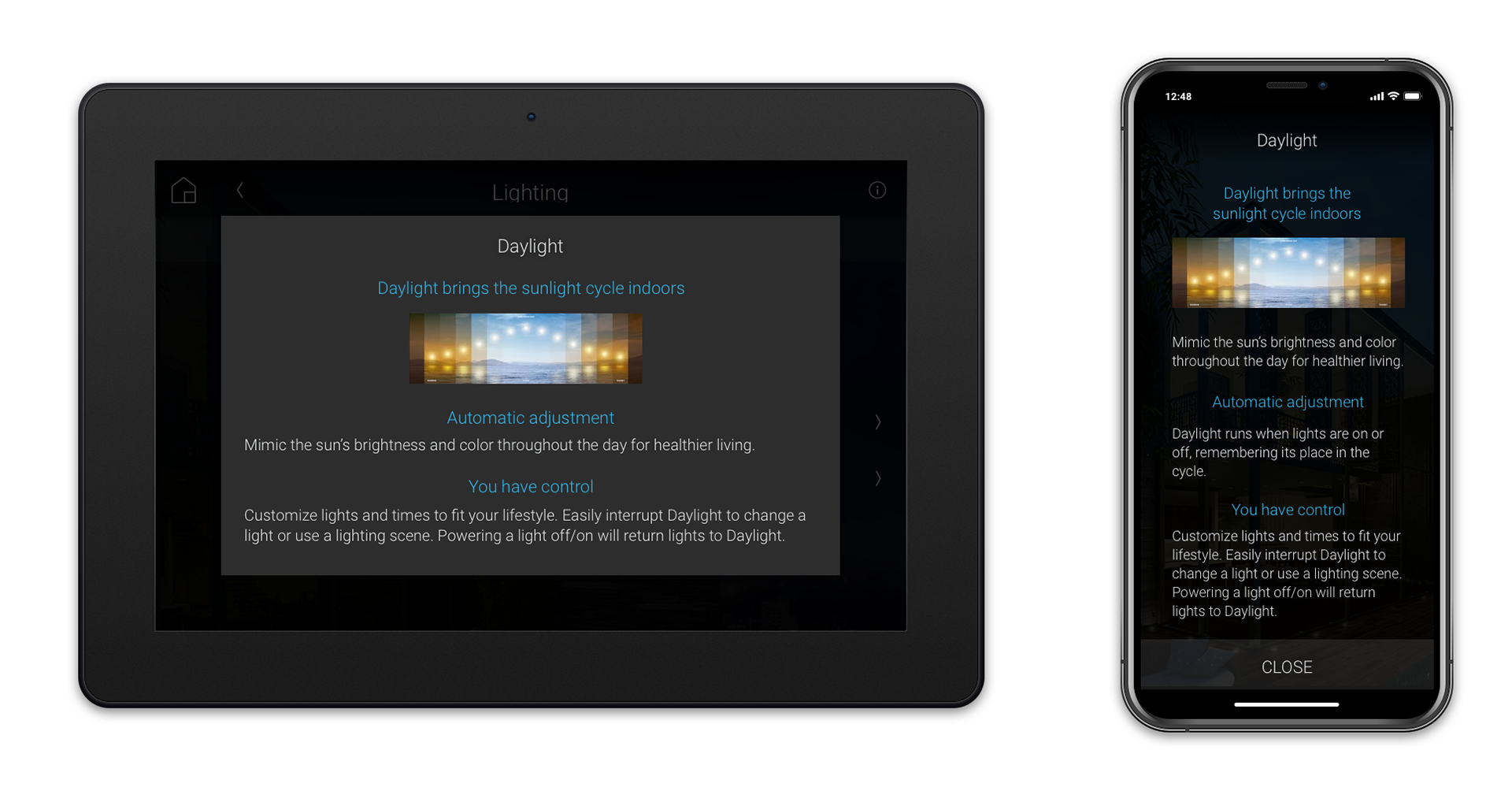
1- Introducing the New Feature - Entry Popover
1- Introducing the New Feature - Entry Popover
User testing validated comprehension of the "Daylight" title, the image, and the feature description for comprehension of the feature.
Use Case 1: Daylight Cycle - Follow the Sun
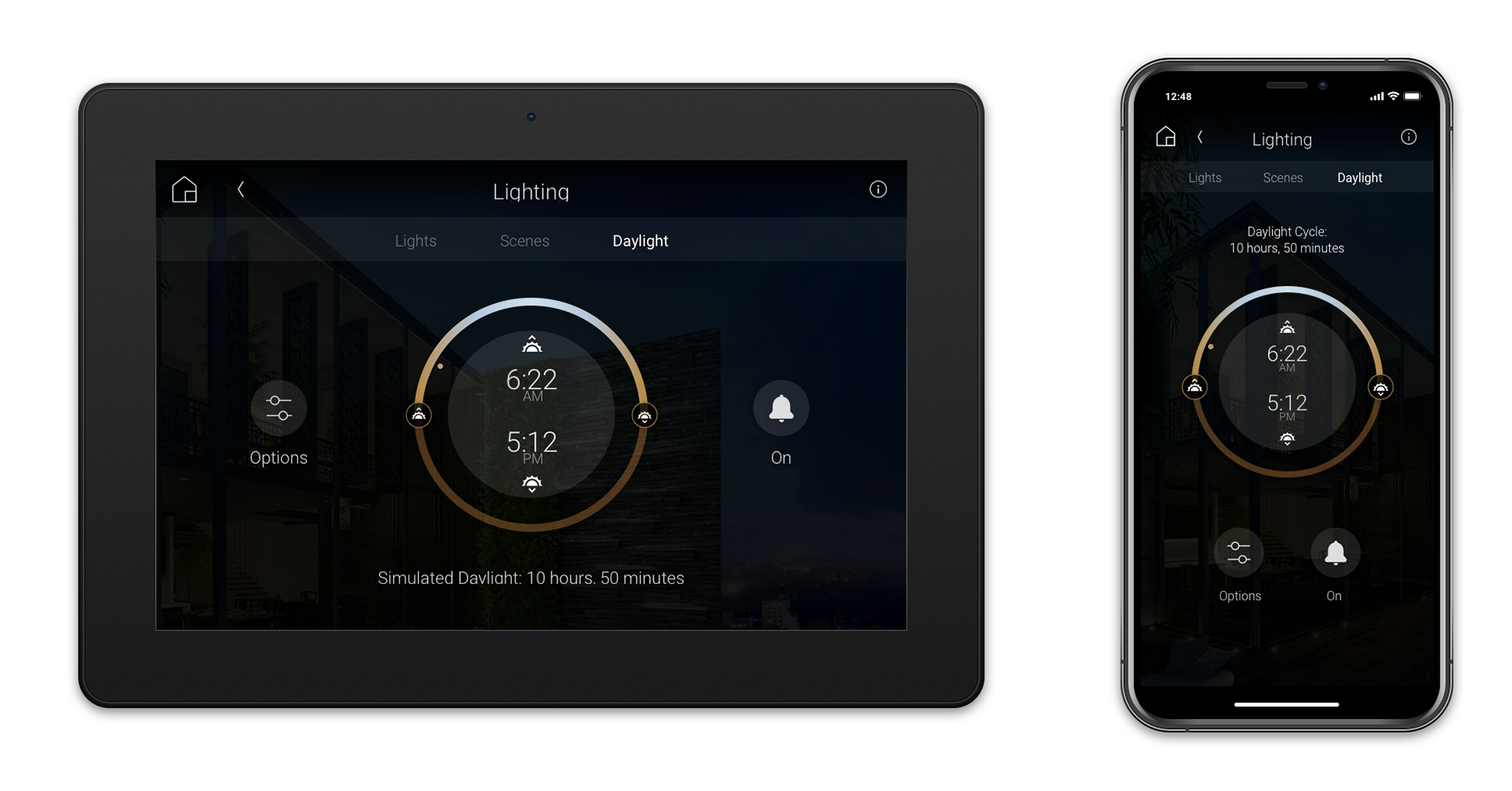
• Have your lights follow the natural sun cycle (based on your geolocation), set it, and forget it.
• Leave the house, interrupt the cycle, or turn off the light, and it will return to its place in the cycle after you cycle it back on.
Use Case 2: Daylight Cycle - Extended Day
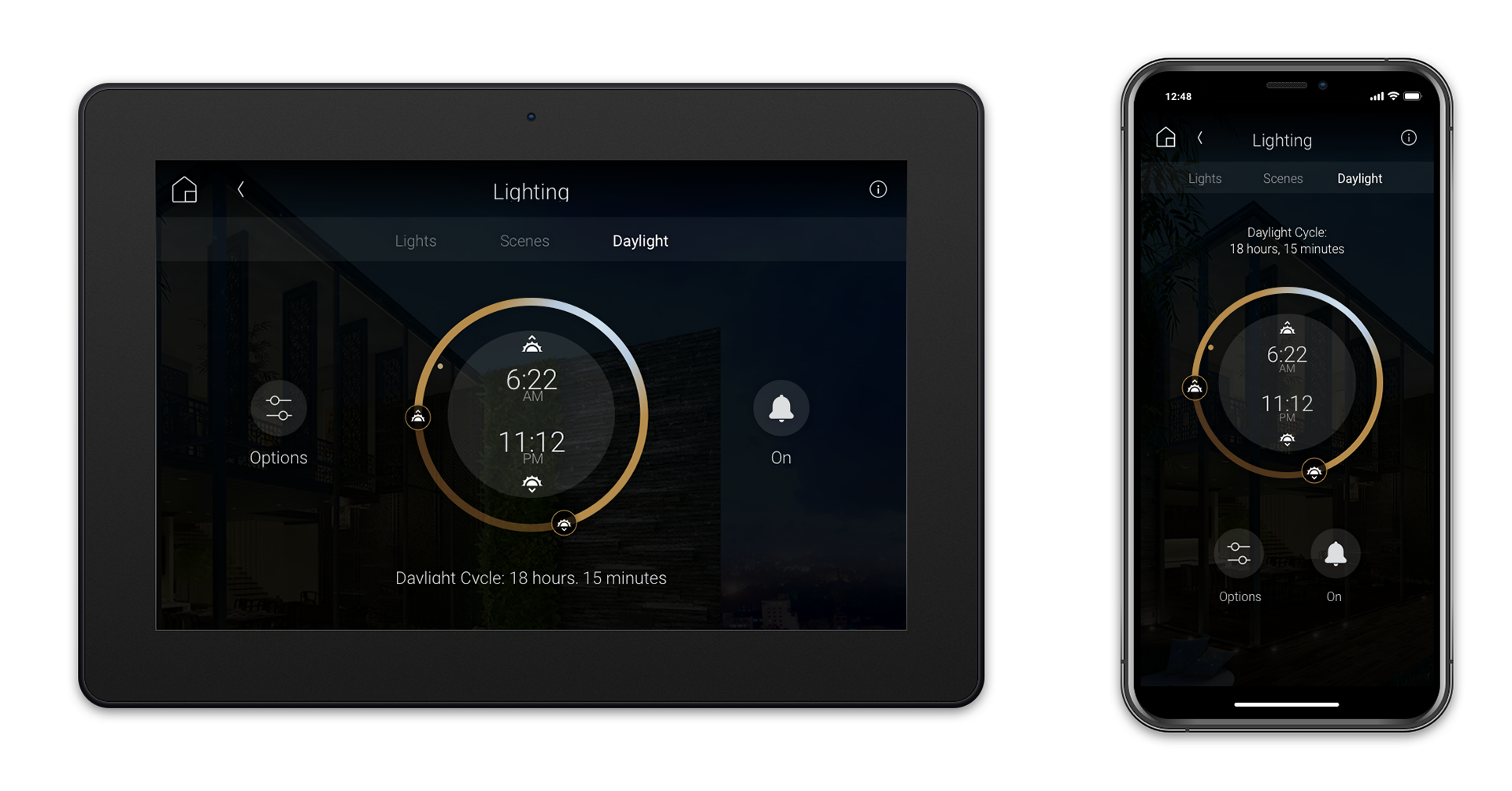
• Extend your days: Imagine the long, dark nights of the high northern or southern hemisphere
• Homeowners can personalize their times to have natural cycles of long summer days indoors.
Daylight Setting
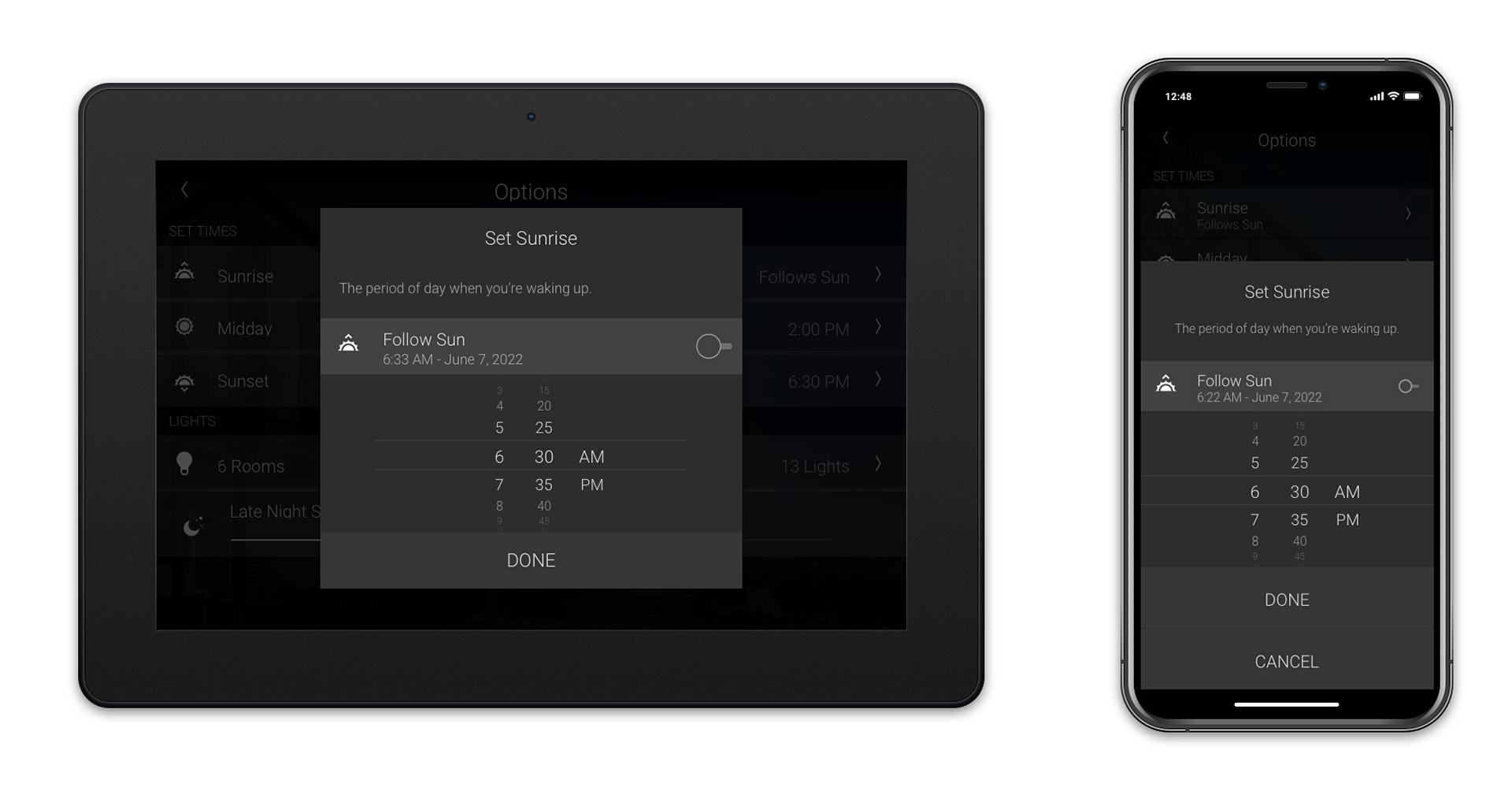
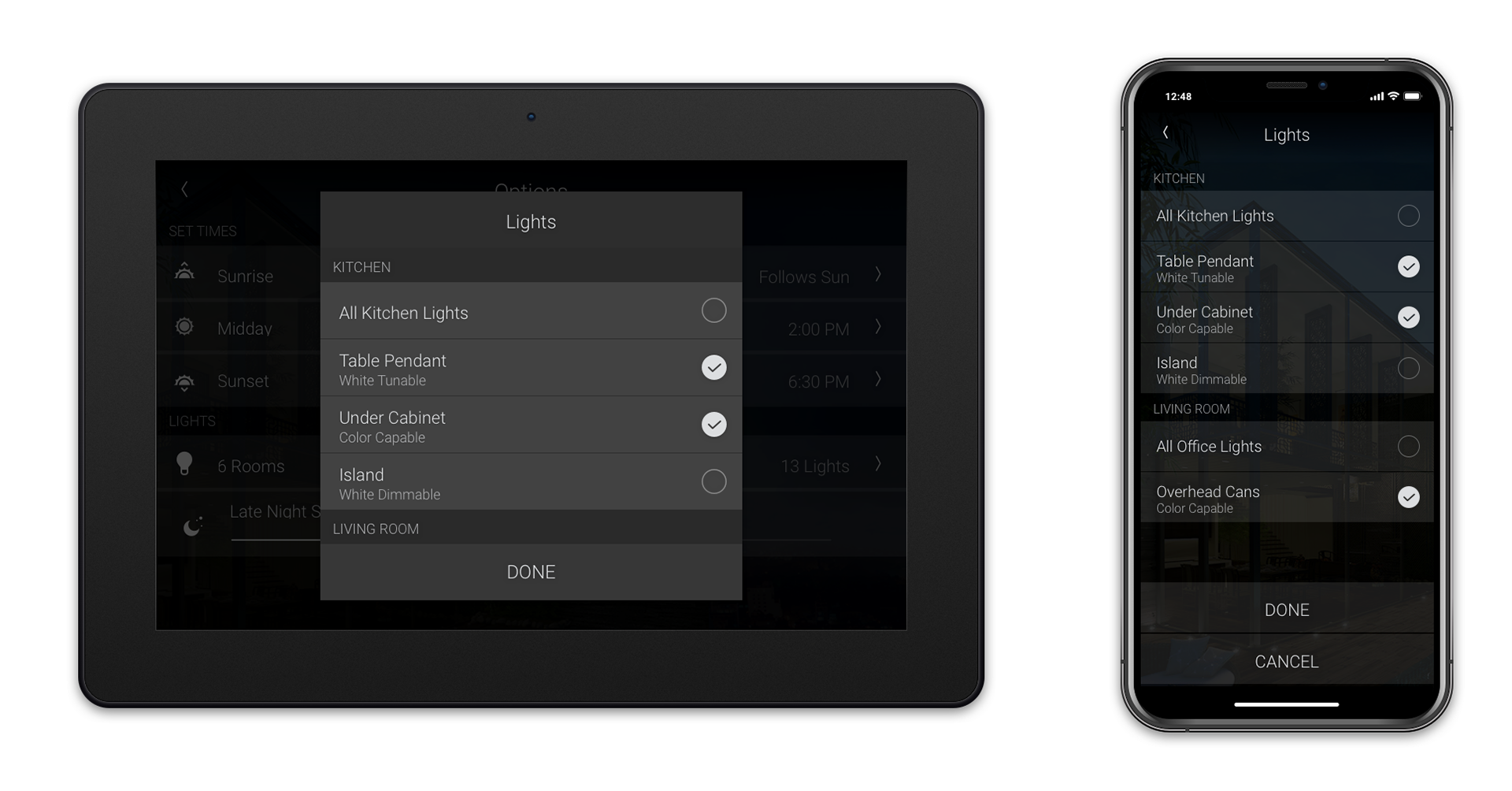
Follow the sun based on your geolocation, or set your own time.
Customize which lights are included in the Daylight Cycle
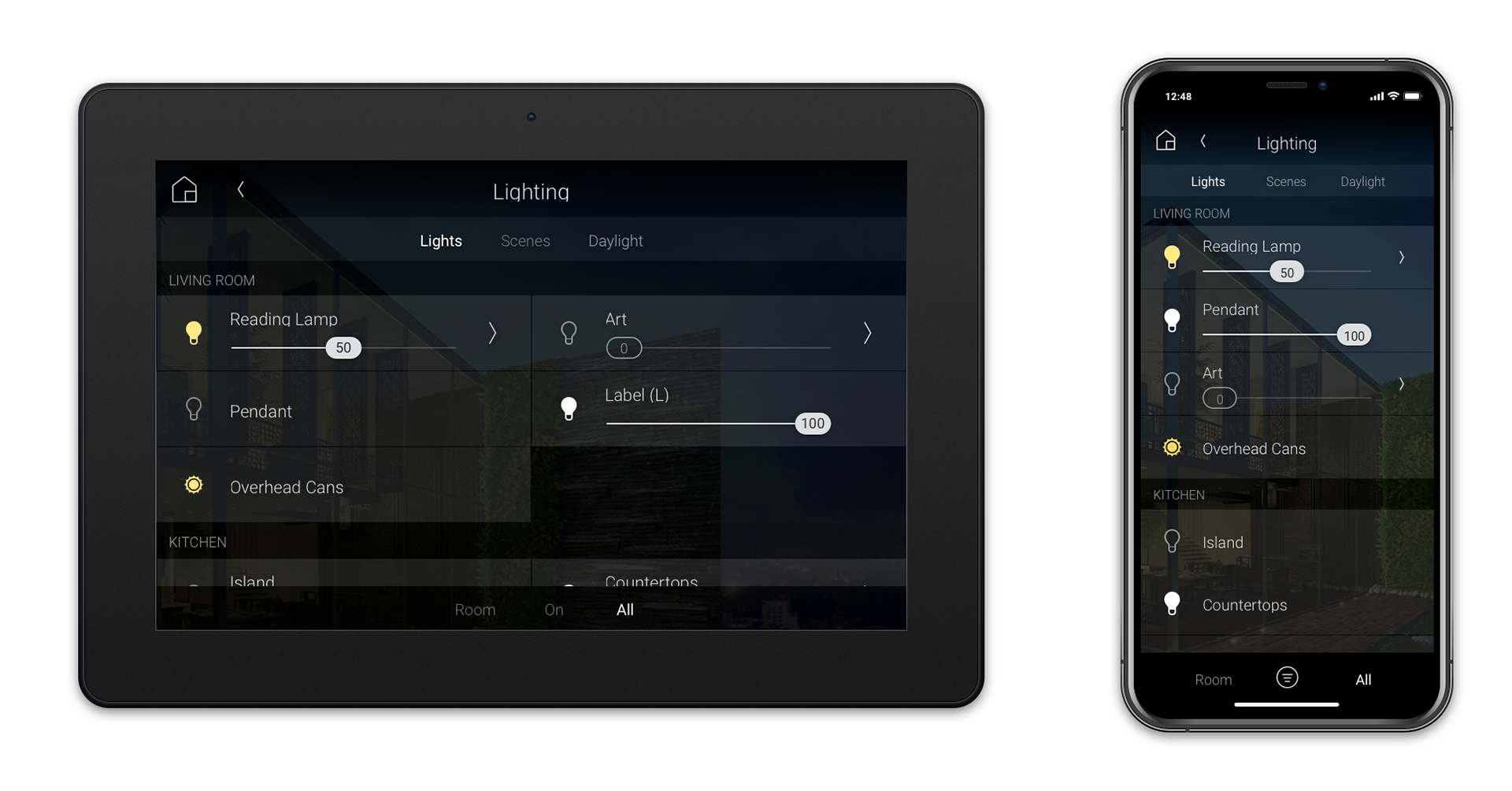
Lighting Page - showing a light in an active daylight cycle
(automatically adjusts throughout the day in brightness and temperature)
(automatically adjusts throughout the day in brightness and temperature)
Multiple Daylights Programs are an Extension of Daylight
Identified Future Opportunities:
• Smart home lighting and schedules need to reflect the flexible nature of the people living within it, and allow for personalization.
• Lighting schedules are expected to change seasonally.
• Setting multiple Daylight Zones accommodates different schedules:
Office / Work-from-home, Kid's or Elderly Schedules, and Night Owls.
Office / Work-from-home, Kid's or Elderly Schedules, and Night Owls.
Methods
1- Research and Product Discovery:
• Researching Lighting Science: Learning about the science behind circadian lighting for wellness, and how it affects the hormones in the body that prompt awakeness, alertness, relaxation, and tiredness. Collaborate with the Product Manager to refine use cases.
• Panel discussions with lighting designers: Understanding the needs of lighting clients,
• Quantitative interviews: Home-owners, and lighting installers as we explored features customers want
2- User Testing and Design Refinement:
• Unmoderated user testing for task completion, comprehension, and design UI preference.
• Design iteration and re-testing to refine naming, wording, and layout.